
Introduction to Articleize
Articleize is a revolutionary content creation platform that transforms online content into polished articles. For content creators looking to streamline their workflow, this tool offers an impressive array of features.
The platform stands out with its ability to convert virtually any online content into well-structured articles. Whether you’re working with YouTube videos, social media posts, or product information, Articleize handles it all with remarkable efficiency.
What makes it particularly appealing is the simplicity. With just a few clicks, you can generate professional articles without spending hours on research and writing.
What is Articleize and How it Works
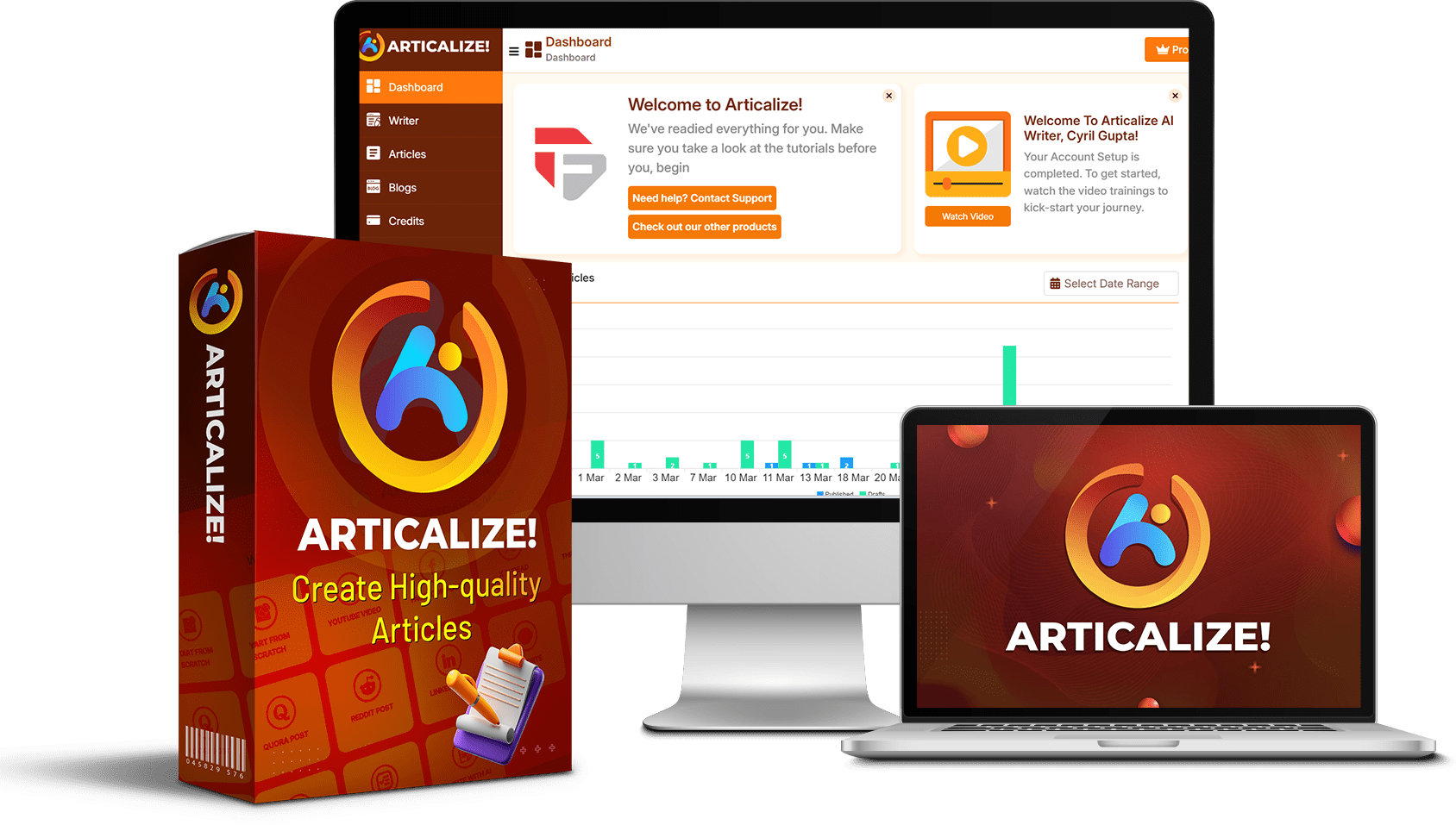
At its core, Articleize is an AI-powered tool that converts online content into publication-ready articles. The platform uses advanced AI models to analyze and restructure information into coherent, engaging content.
The process is straightforward. You find content you want to transform, use the Chrome extension to capture it, and Articleize converts it into a well-structured article. The AI handles the writing while you maintain control over style, format, and final output.
Articleize supports multiple AI models including OpenAI GPT, Mistral, Claude, and Llama. This gives you flexibility to choose the AI that best suits your content needs.
Multiple languages are supported, making it a versatile tool for global content creators. You can also customize word count, add AI-generated images, and select from various writing styles to match your brand voice.
Creating Articles from YouTube Videos

One of Articleize’s most powerful features is its ability to transform YouTube videos into comprehensive articles. This functionality is perfect for content repurposing and maximizing the value of video content.
Using the Chrome Extension
The Chrome extension makes capturing YouTube content incredibly simple. When viewing a YouTube video, you simply click the Articleize extension icon and select “Get Transcript.”
You’ll have the option to include the video description along with the transcript. Once you’ve made your selection, click “Proceed to Articleize” and the platform imports all the content automatically.
The extension extracts both captions and descriptive information, giving the AI a rich dataset to work with when creating your article.
AI Model Selection
After importing your content, you’ll choose which AI model will write your article. The platform offers several options including OpenAI GPT, Mistral, Claude, and Llama.
According to the review, Claude 3.7 produces particularly good results. The quality of writing varies between models, so you might want to experiment to find which works best for your content type.
You can also select your preferred language from the supported options, ensuring your content reaches your target audience effectively.
Customizing Your Article
Articleize offers extensive customization options for your YouTube-based articles. You can decide whether to include a table of contents, add AI-generated images, and select your preferred writing style.
For images, you can choose from different AI image generators like Flux or GPT Images. You can also specify whether to add text overlays to images and choose between landscape or square formats.
The platform allows you to set a target word count, ensuring your article reaches the desired length. Once you’ve made your selections, Articleize generates a table of contents that you can modify before the AI writes the full article.
Working with the Articleize Editor
The Articleize editor provides a full suite of tools to refine and enhance your content. The interface is intuitive, offering numerous options to customize your article after the initial AI generation.
Adding AI-Generated Content

One of the editor’s standout features is the ability to add AI-generated content anywhere in your article. Simply position your cursor where you want to insert content, click the AI content button, and type a description of what you need.
For example, you might request a paragraph about “the benefits of using UGC in your business.” The AI generates appropriate content that you can then accept, modify, or regenerate until it meets your requirements.
This feature is particularly useful for expanding sections that need more detail or adding context to complex topics.
Inserting Lists and Quotes
The editor makes it easy to add structured elements like lists and quotes to your articles. For lists, you simply click the list option, describe what kind of list you need, and the AI generates it for you.
You can specify exactly what you want in your list or let the AI create the full list based on your description. Once generated, you can edit individual items or use the list as-is.
The quote feature works similarly. You request a quote on a specific topic, optionally specifying the type of person you want to attribute it to. The AI then creates a relevant quote complete with attribution that you can insert into your article.
Using Images in Your Articles
Articleize offers multiple options for adding visual elements to your content. You can generate AI images directly within the editor by providing a description of what you want to see.
If you prefer stock photos, the platform integrates with Unsplash and Pixels, allowing you to search and insert free images without leaving the editor.
You can also upload images from your computer, giving you complete flexibility in your visual content strategy. All images can be positioned and sized within your article as needed.
Creating Content from Social Media Posts
Articleize excels at transforming social media content into comprehensive articles, making it invaluable for content creators who monitor trending topics.
Converting Facebook Posts
The process for converting Facebook posts is similar to YouTube videos. While browsing Facebook, you activate the Articleize extension and use the selection tool to highlight the content you want to include.
You can select multiple elements from a post, including text, comments, and even images. Once you’ve selected everything, click “Finish Selection” and proceed to Articleize.
The platform then imports your selections and guides you through the same customization options available for other content types.
Transforming Reddit Threads

Reddit threads are goldmines of information that Articleize can efficiently transform into structured articles. Using the Chrome extension, you can select specific parts of a thread or capture entire discussions.
For comprehensive Reddit content, you can use the browser’s developer tools to select whole columns of content at once. This is particularly useful for lengthy threads with multiple comments.
The platform preserves links from the original content, making it easy to reference sources in your final article. This feature is especially valuable for resource lists and guides.
Using X and Other Platforms
Articleize supports content from X (formerly Twitter), Threads, Quora, LinkedIn, and virtually any other platform you can access through your browser. The selection process works the same way across all platforms.
The tool is flexible enough to handle different content formats and structures, making it versatile for diverse social media strategies.
For any platform not specifically mentioned, the general web page selection tool works effectively to capture the content you need.
Product Review and Comparison Features

Articleize includes specialized tools for creating product-focused content, which is particularly valuable for affiliate marketers and review sites.
Writing Comprehensive Product Reviews
The product review tool allows you to input detailed information about a product, including descriptions, features, and customer reviews. You can copy this information directly from e-commerce sites like Amazon.
After entering the product details, you can customize the review style and tone. The AI then generates a comprehensive review that highlights the product’s strengths and weaknesses based on the information provided.
The system can even incorporate actual customer feedback from multiple reviews, adding authenticity and diverse perspectives to your content.
Creating Product Comparisons
The product comparison feature enables you to create detailed side-by-side analyses of multiple products. Yo start by specifying the product category and a brief introduction to the comparison.
You can then enter detailed information about each product, copying descriptions and specifications from manufacturer websites or e-commerce listings.
One nice touch is the ability to designate which product should be recommended in the conclusion. This gives you control over the final recommendation while letting the AI handle the detailed analysis.
Publishing and Exporting Options
Once your article is complete, Articleize offers multiple options for publishing or exporting your content. These features streamline the final step in your content creation workflow.
Direct Publishing to WordPress and Tumblr

Articleize: allows you to connect your WordPress or Tumblr blogs directly to the platform. This integration enables one-click publishing of your articles.
To connect a WordPress blog, you simply provide your blog URL, username, and an application password. For Tumblr, the process is similarly straightforward.
This feature eliminates the need to copy and paste content between platforms, saving time and reducing the risk of formatting errors.
HTML and Markdown Export Options
If you prefer to use other content management systems or have a custom publishing workflow, Articleize offers flexible export options.
You can export your articles as HTML, preserving all formatting and structure for easy integration with most web platforms.
For those who use Markdown-based systems, the platform also offers Markdown export. This is particularly useful for platforms like GitHub, Jekyll, or Hugo.
Conclusion
Articleize represents a significant advancement in content creation technology. By automating the transformation of online content into polished articles, it addresses one of the most time-consuming aspects of digital publishing.
The platform’s versatility is impressive. From YouTube videos to social media posts, product reviews to comparisons, Articleize handles diverse content types with equal proficiency.
The intelligent AI integration, with support for multiple models and languages, ensures that the content you create is high-quality and tailored to your specific needs.
For content creators looking to scale their production without sacrificing quality, Articleize offers a compelling solution. The direct publishing capabilities and flexible export options further streamline the content creation workflow.
With its intuitive interface and powerful features, Articleize is worth considering for anyone serious about efficient, effective content creation.