

Introduction to starting an online business for free
Starting an online business without spending money is far more realistic than most people think. Many of the tools that used to require paid software, a web developer, or a marketing budget now have free versions that are strong enough to launch with. The bigger constraint is usually consistency: showing up, publishing, testing, and improving.
Free doesn’t mean “no effort.” It means you can validate an idea before you spend. You can build views with short videos, earn commissions with tutorials, sell products that are made only after a customer buys, or offer services using everyday productivity tools. Each model has a different pace and risk level, so choosing the right one matters.
How to choose the right idea based on your skills and time
Start by matching the business model to the resource you have most: time, organization, creativity, or subject knowledge. If you can create content quickly, short-form video or tutorial affiliates may fit. If you prefer clear tasks and client work, virtual assistant services or social media management can pay faster.
If you have limited time per week, pick a model that compounds. Evergreen tutorials, affiliate blogging, printables, and courses can keep selling or earning long after you publish them. If you can dedicate time daily, arbitrage and service work may bring quicker wins because they are directly tied to your hours.
Keep the first version simple.
Choose one platform, one offer, and one goal for the first 30 days. Complexity is usually the reason beginners stall.
Short-form content businesses
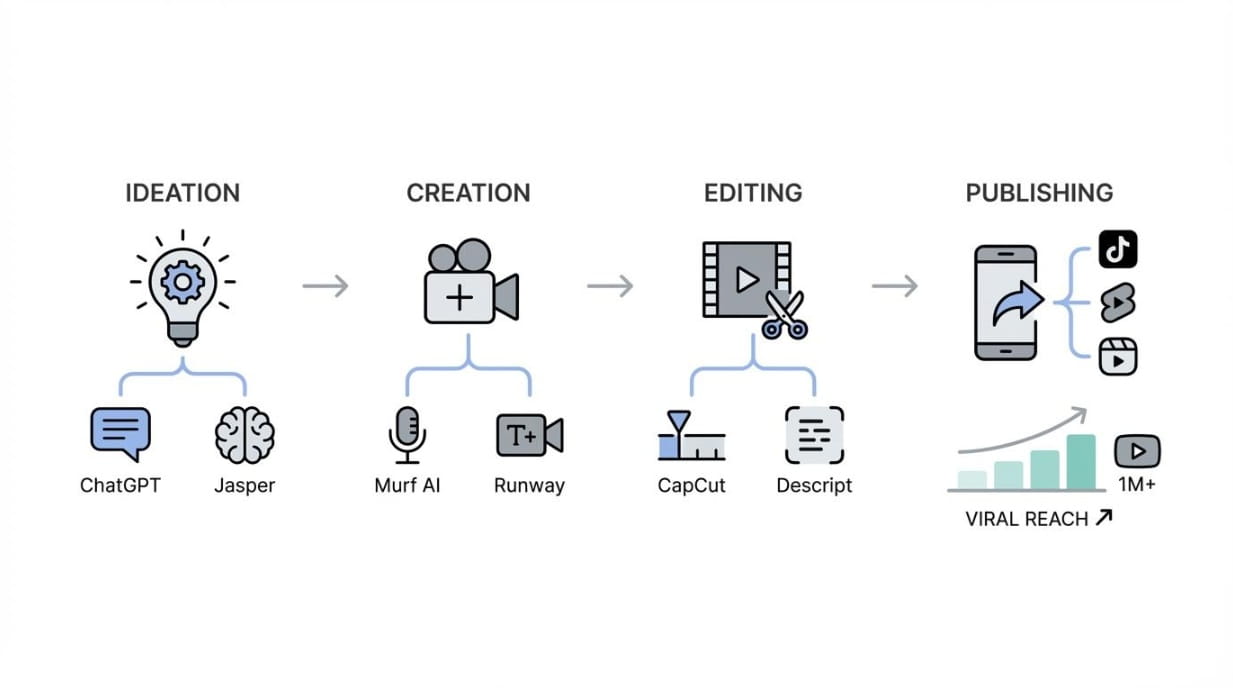
Short-form platforms like YouTube Shorts and TikTok reward simple concepts with strong retention. You don’t need a camera, a fancy studio, or a large audience to start. You need repeatable formats and a workflow that lets you publish frequently.
Two formats stand out for beginners because they can be produced with free tools and stock assets: pick-one videos and montage videos. Both rely on editing and packaging rather than personal branding, which helps if you’re shy about appearing on camera.
Pick-one videos and why they go viral

Pick-one videos are essentially interactive slideshows. The viewer is asked to choose a favorite image or clip from a sequence: “Pick one,” “Choose your favorite,” or “Which would you rather?” The concept is simple, but it triggers comments, shares, and rewatches because people want to compare answers with friends.
They also work because they reduce friction. The viewer doesn’t need context, backstory, or a long attention span. They just watch and choose. That makes the format easy to repeat across niches: travel locations, outfits, room designs, pets, cars, food, wallpapers, gaming characters, and more.
Tools to create pick-one videos for free
You can build pick-one videos with a small set of free resources. For visuals, royalty-free libraries like Pixabay and Pexels provide images and video clips you can stitch together. If you want custom images, Microsoft Designer can generate new visuals using DALLE 3.
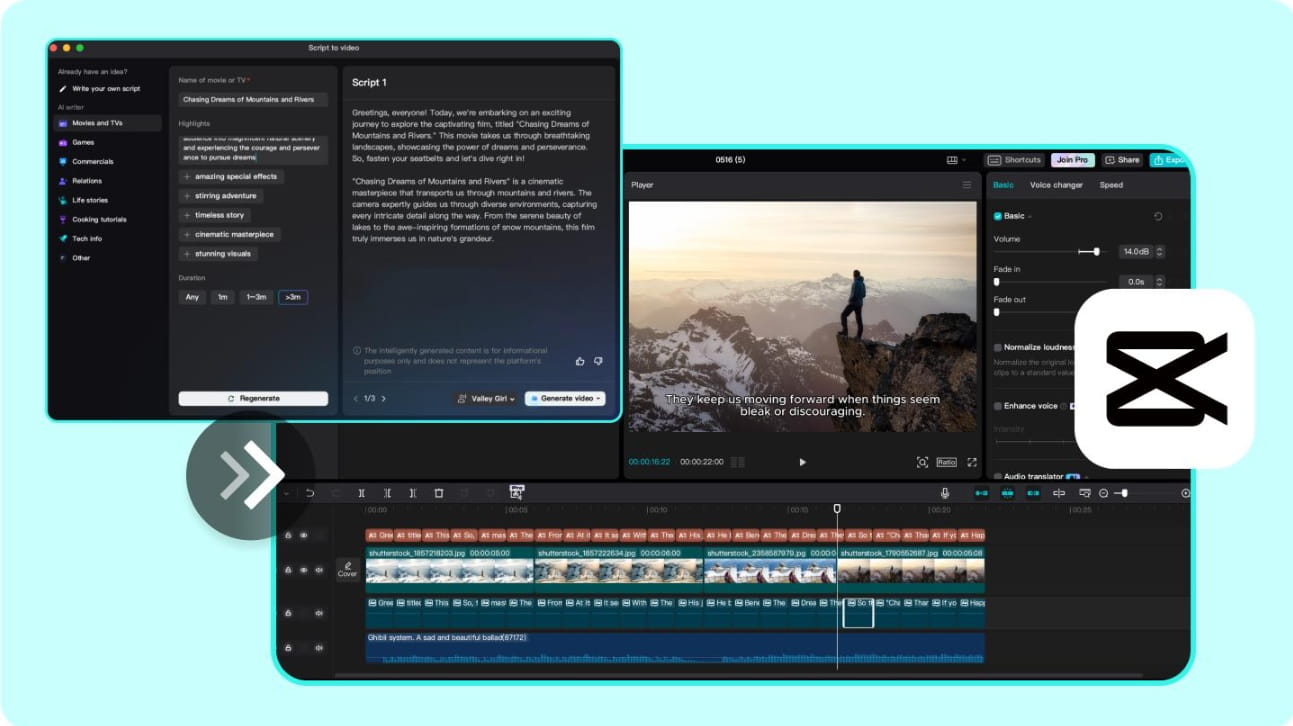
For editing, CapCut (online or desktop) is a practical starting point. You can create a vertical canvas, drop in your clips, add on-screen prompts, and use built-in caption and effect tools to polish the pacing. With a saved template, production becomes a repeatable routine instead of a fresh project every time.

How pick-one videos earn money on YouTube Shorts and TikTok
Monetization depends on platform and eligibility, but the numbers can be meaningful at scale. YouTube Shorts monetization is often cited around $0.10 to $0.20 per 1,000 views. TikTok’s Creator Rewards can also produce strong results; some creators report earning substantial amounts over a few months once they find a format that consistently hits.
The practical takeaway is that volume and consistency matter. A single viral video is nice, yet a library of dozens of targeted uploads increases your odds and creates steadier income. Pair that with a niche that has high share potential and you have a simple content business you can run with free tools.
Montage videos with stock footage, captions, and voiceovers
Montage videos combine short stock clips into a story-like sequence with captions or narration. They can be entertaining, educational, or inspirational. The creator’s advantage is speed: you can produce without filming, and you can publish across multiple channels.
Many montage channels succeed by focusing on a repeatable theme. Examples include “quick facts,” mini biographies, motivational voiceovers, travel moments, productivity tips, or oddly satisfying compilations with text overlays. The hook is the first two seconds, then tight pacing does the rest.
Free tools and a simple workflow for montage videos

A basic workflow can look like this: gather clips from Pixabay and Pexels, write a short script with ChatGPT, then edit in CapCut. Add captions directly in CapCut, and consider a voiceover for clarity. ElevenLabs can generate voice narration, and if you record your own audio, Adobe Podcast Enhance can clean it up for free.
Creators report montage-style earnings on TikTok that can range from roughly $0.30 to $1 per 1,000 views depending on account factors and program terms. Even at the low end, steady output can add up, especially if your niche has consistent demand
Reselling and arbitrage models
Arbitrage is simple in concept: buy low, sell higher. The work is in sourcing, pricing, and handling communication. It can start with household items, local pickups, or niche products you understand. Compared to content models, it can produce faster cash flow, but it also requires careful rules to avoid losses.
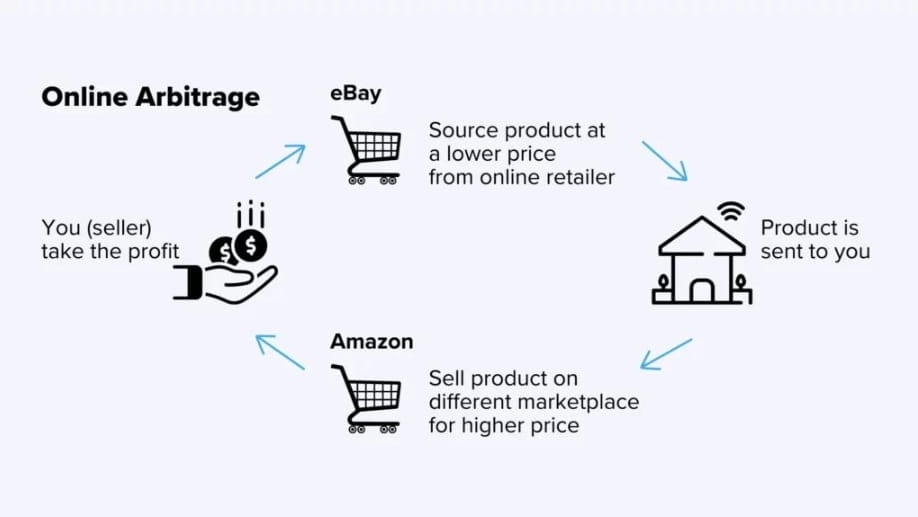
Marketplace arbitrage across Facebook Marketplace, eBay, and Amazon
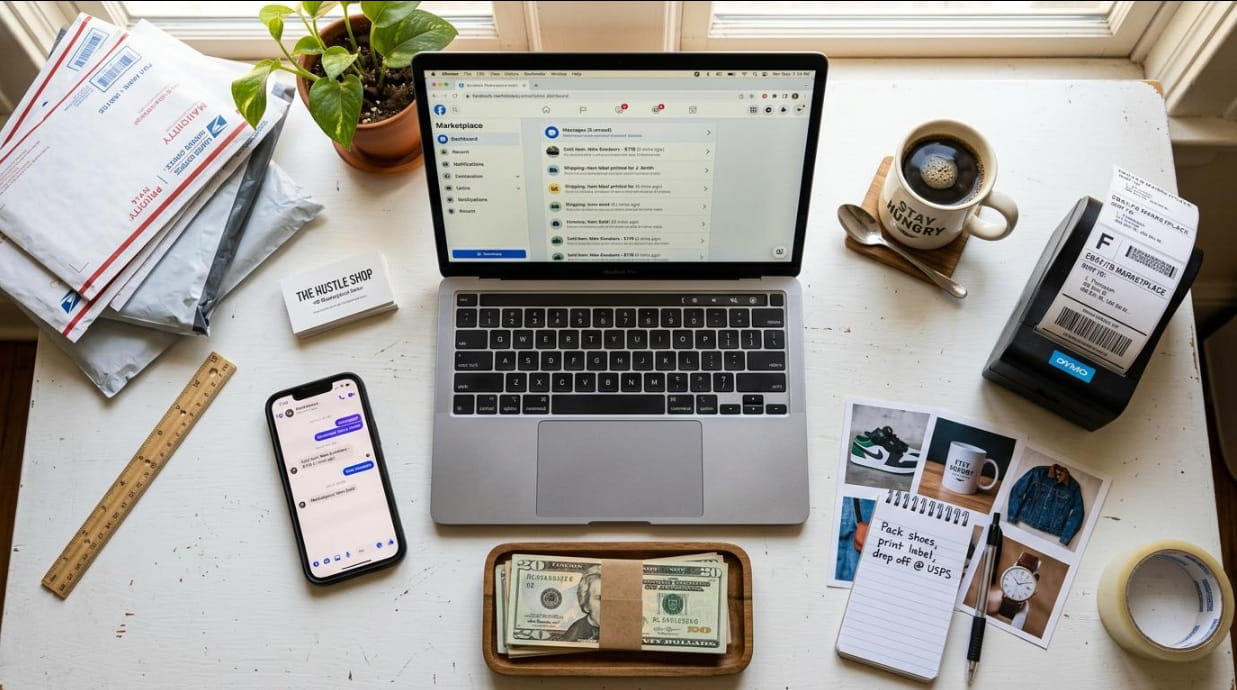
A common approach is to source deals on Facebook Marketplace and resell on eBay or Amazon. For example, you might find a 3D printer listed locally for $125 and resell it online for $150. The margin may look small, but the model scales when you repeat it with better items, better pricing, and smoother operations.
Some sellers also use a service-style version: create a gig on Upwork or Freelancer, then fulfill parts of the work by purchasing lower-cost services on platforms like Fiverr after the client pays. That approach requires clear ethics and disclosure rules depending on the job type, but the basic idea is the same: manage the gap between cost and sale price.
How to reduce risk with paid-after-sale sourcing and clear shipping rules
Risk control starts with policies. Use clear shipping timelines, define acceptable item condition, and avoid listings you can’t fulfill reliably. If you use a paid-after-sale approach, confirm availability before you list widely, and keep a backup option so you can refund quickly if a source disappears.
Document everything: item condition, serial numbers when relevant, and packaging steps. Simple habits prevent disputes, and fewer disputes protect your selling accounts.
Flipping domain names and what makes a domain valuable

Domain flipping is another form of reselling, but the “inventory” is digital. You buy a domain at a low price, then resell it for a profit. Value usually comes from being short, memorable, easy to spell, and tied to a growing category. Names that match common search phrases or clear business categories can also sell better.
Trends matter, but clarity matters more. A name that sounds like a real brand and passes the “say it once, remember it” test has an advantage.
Where to buy, research, and sell domains
Beginners often buy through registrars such as Namecheap or GoDaddy. Research can include checking whether similar names are in use, whether the phrase is rising in interest, and whether the name avoids trademark issues. For selling, marketplaces like Flippa and Sedo provide listings where buyers already shop for domains.
Start small. Buy a few names, learn what gets inquiries, then refine your strategy.
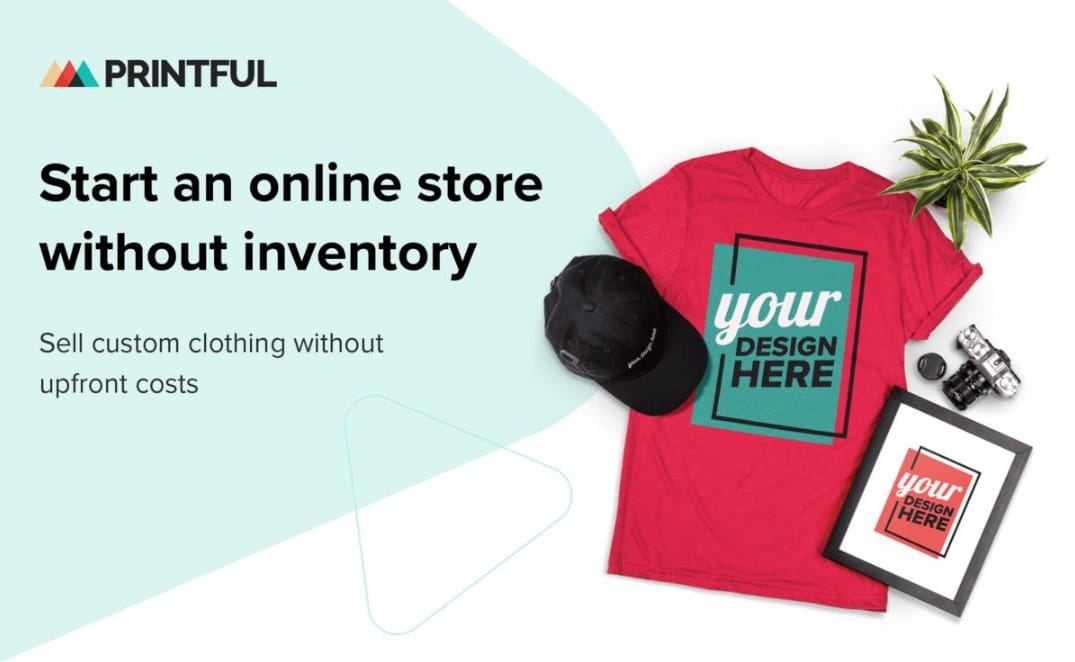
Selling products without inventory
Inventory is expensive, and storage is inconvenient. That’s why models like print-on-demand and digital downloads are popular starting points. The product exists only after the sale, or it is delivered instantly as a file. That keeps overhead low and makes testing faster.
Print-on-demand with Printify or Printful and a free storefront
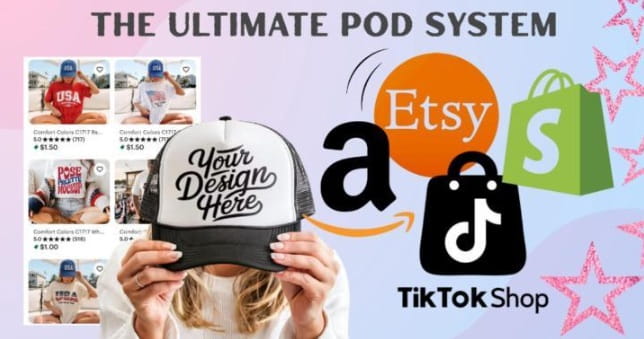
Print-on-demand platforms like Printify and Printful let you upload designs onto items such as Tshirts, hoodies, mugs, or tote bags. When a customer places an order, the platform prints and ships the product. You can connect these products to a free storefront builder like Fourthwall, so you can launch without paying for a full ecommerce site upfront.
This model works best when you target a specific audience: a hobby, a profession, a location, or a micro-community with inside jokes and shared identity.
Design tools and beginner-friendly design ideas
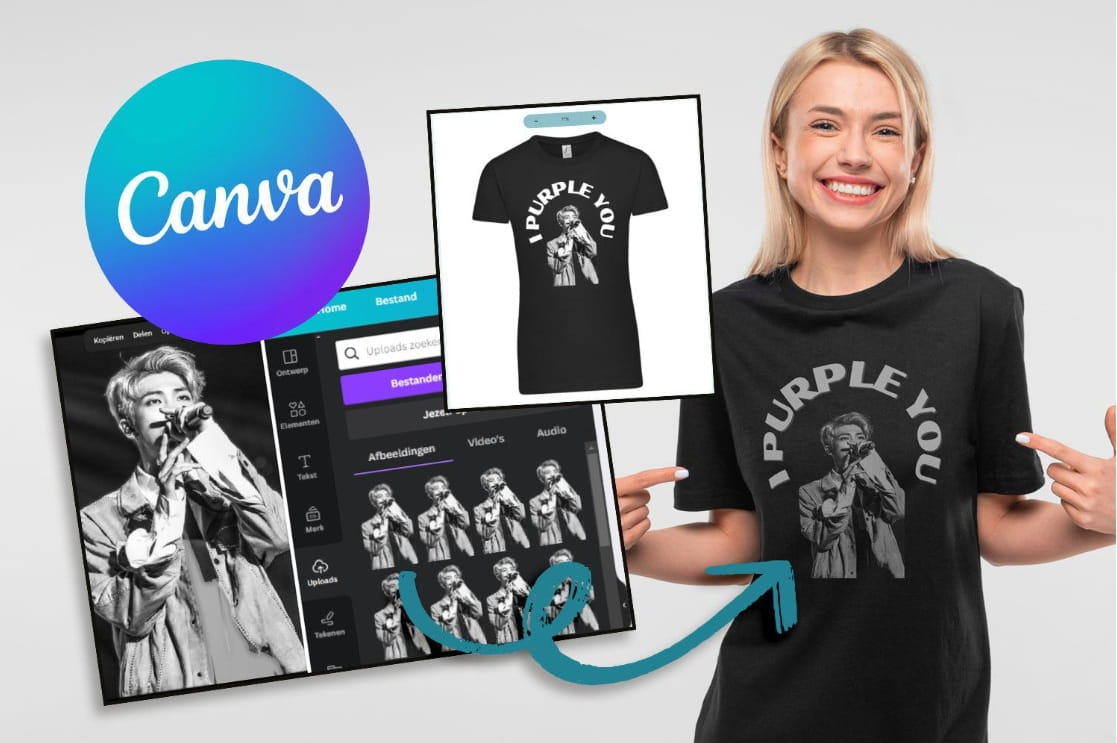
You can create designs using free tools like Photopea, a browser-based alternative to Photoshop, and Canva for templates, typography, and layout. If you’re new to design, start with text-based products: clean slogans, niche phrases, year-based themes, minimal icons, or simple badge layouts. They are easier to produce and often convert well.
Clarity beats complexity.
Marketing print-on-demand with TikTok, Pinterest, and Etsy
TikTok can build demand quickly through short videos that show the design, the niche context, and the end product. Pinterest works well for evergreen visuals, especially for gifts, home decor, and lifestyle categories. Etsy can add built-in traffic if your listing images and keywords match what buyers search.
Use the same core visuals across platforms. One design can become a TikTok showcase, a Pinterest pin, and an Etsy listing.
Digital printables that sell and how to package them
Digital printables are files customers download and use: storage labels, planners, calendars, worksheets, checklists, trackers, and short ebooks. Packaging matters. Bundle related pages, include multiple sizes, and provide both PDF and editable formats when possible. Clear naming and a simple instruction page reduce refunds and support messages.
Buyers want fast results. A printable that solves one clear problem tends to outperform a complicated bundle that is hard to use.
Selling printables on Gumroad and Etsy with simple listings
Gumroad is free to join and makes it easy to upload files, set pricing, and deliver downloads automatically. Etsy can bring organic traffic, but it rewards strong thumbnails, clean mockups, and keyword-focused titles. Keep listings straightforward: what it is, who it is for, what’s included, and how it’s delivered.
Reselling digital products using PLR and how to customize ethically

Private label rights (PLR) products can include ebooks, templates, and mini-courses that you’re allowed to resell. The ethical approach is customization: rewrite sections, add examples, update formatting, and make the product specific to a target audience. Avoid passing off generic material as original thought without adding real value.
You can source PLR from sites like PLR.me or IDPLR, then sell through Gumroad, Etsy, or your own site once you have a clearer brand.
Affiliate-led content models
Affiliate marketing earns commissions when someone buys through your link. The strongest approach for beginners is utility-based content: tutorials, setup guides, comparisons, and troubleshooting. People searching for help often have purchase intent, so a helpful guide can convert without hype.

Tutorial affiliate marketing for apps and websites
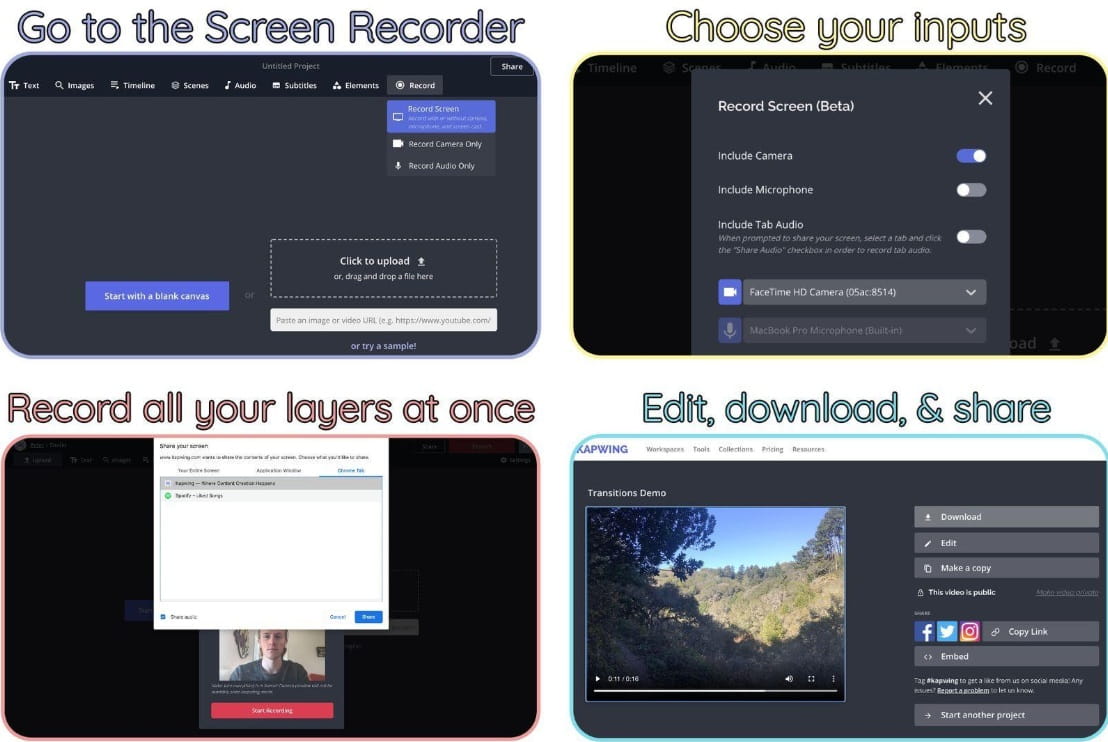
Tutorial affiliate marketing starts with products you already use: software tools, apps, and online services. Join affiliate networks such as Impact, then create screen-recorded videos or step-by-step posts showing how to get a specific result. CapCut can record and edit your screen tutorials, and Adobe Podcast Enhance can improve audio quality if your recording environment is noisy.
Evergreen tutorials keep working because new users keep arriving. A guide made today can still earn months later if the product remains relevant.
How to structure tutorials and place affiliate links naturally
A clear tutorial structure helps viewers trust you: state the goal, show prerequisites, walk through steps in order, then include a quick recap and common mistakes. Place affiliate links where they match the user’s next action, such as “Download here,” “Pricing page,” or “Template used in this video.” Use descriptive link labels so people know what they’re clicking.
Transparency matters. A short disclosure keeps your content clean and credible.
Pinterest blogging with Medium and affiliate products
Pinterest blogging pairs well with free publishing platforms like Medium. You write helpful posts that answer specific questions, then create pins that send Pinterest users to the article. Inside the post, you can link to affiliate products, such as items from Amazon Associates or other programs that match your topic.
This model rewards good visuals. Canva is commonly used to create Pinterest-friendly graphics that match vertical formats and highlight a clear benefit.
Affiliate blogging for SEO and long-term traffic
Affiliate blogging can also be built for search traffic using Medium or a free WordPress setup. Choose a niche with many searchable questions: tech setup, home organization, fitness gear, or budget tools. Write posts that solve specific problems and include relevant affiliate offers.
Search traffic takes longer than short video, but it can be steadier. A small library of focused posts often performs better than dozens of broad topics.
Free tools for keyword research and on-page optimization
Free SEO helpers like Yoast SEO (for WordPress) and Ubersuggest can support keyword selection and on-page structure. The basics are simple: use clear headings, include the main phrase naturally, answer related questions, and keep paragraphs readable. Useful content wins over stuffed keywords.
Service and expertise-based businesses
Service businesses can start immediately because you sell time and outcomes rather than products. You can build a profile, pitch clients, and deliver work using free tools. The fastest path is offering services that businesses already pay for and that you can learn quickly.
Virtual assistant services and in-demand tasks to offer

Virtual assistants help with scheduling, email management, customer support, research, data entry, and basic operations. If you’re organized, responsive, and comfortable learning new tools, this is a strong entry point. Use Trello for task tracking and Google Workspace for documents, calendars, and shared files.
Skills grow fast here. Each client teaches you systems you can reuse with the next one.
Where to find clients and how to present your profile
Client sourcing can start with free profiles on Upwork, Fiverr, and Freelancer. A strong profile focuses on outcomes, not titles. Instead of “I am a VA,” write “I manage inboxes, build weekly schedules, and keep projects on track.” Add a simple portfolio, even if it’s a sample Trello board or a mock inbox workflow.
Small, clear packages sell better than vague hourly promises. Offer a weekly support bundle or a defined set of tasks to reduce buyer uncertainty.
Social media management for small businesses and creators
Social media managers plan content, create basic visuals, schedule posts, and report results. Small businesses often want consistency more than perfection. If you can keep their pages active with clean designs and sensible captions, you can deliver real value.
A practical way to start is offering a short trial to a local business to build case studies. You can also list services on Fiverr or post your offer on LinkedIn.
Tools for scheduling, design, and content ideation
Hootsuite can help schedule and manage posts. Canva supports quick design for stories, reels covers, and promo graphics. ChatGPT can help brainstorm captions, hooks, and hashtag sets based on the brand’s tone and audience.
System beats inspiration. A simple weekly calendar and reusable templates can cut your workload in half.
Teaching and audience building
Teaching is one of the most reliable ways to build trust online. You can package a skill into a course, grow an audience through a podcast, and monetize through product sales, affiliates, or sponsorships. The key is choosing a specific outcome people want.
Creating an online course and picking a profitable outcome
Course ideas work best when the result is concrete: “edit short videos faster,” “organize your home finances,” or “get your first VA client.” People pay for clarity and a path they can follow. Start with a beginner-friendly transformation and keep the first version short.
Platforms like Teachable, Udemy, and Gumroad can host and sell courses, and Gumroad is free to join. Once you have one course, you can expand into advanced modules or bundles.
Free tools for recording, designing, and delivering lessons
Loom is a simple tool for recording lessons and walkthroughs. Canva can design slides, worksheets, and lesson covers. Zoom works for live Q&A sessions or cohort-style support. You don’t need fancy production; clear audio and a logical lesson flow are what students remember.
Podcasting for authority, affiliates, and sponsorships
Podcasting can build authority because it creates recurring time with listeners. It also supports monetization through sponsorships and affiliate links placed in episode descriptions. A podcast can reinforce everything else you do: services, courses, and content channels.
The format is flexible. You can teach solo, interview guests, or answer listener questions.
Free podcast tools and a starter monetization plan
Anchor can handle recording, editing, and publishing for free. Canva can design cover art, and Audacity offers more advanced audio editing if you need it. For monetization, start with affiliate links for tools you genuinely use. Once downloads are consistent, pitch sponsorships to brands that match your audience.
Conclusion with a simple 7-day getting-started plan

Day 1: Pick one model and one platform. Write a one-sentence goal and a simple weekly schedule.
Day 2: Set up your accounts. Create a basic profile, channel, or storefront depending on the model.
Day 3: Build a template. For videos, create a reusable CapCut project. For services, write two fixed packages. For products, create one listing format.
Day 4: Produce your first asset. One pick-one video, one montage, one printable, one tutorial, or one service pitch deck.
Day 5: Publish and distribute. Post the content, list the product, or send five proposals.
Day 6: Improve one thing based on feedback: hook, thumbnail, pricing, listing image, or proposal clarity.
Day 7: Repeat with speed. Create the second version using the same template, then schedule the next week.
Momentum comes from small outputs done consistently. Start free, stay simple, and keep shipping.